Features
Everything between “I started working” and “I got paid.”
One place for the work, the invoice and the money. The clips on this page are recordings of the real app.
Time tracking
Log time the way that suits the day.
Start a timer when you begin, type the hours in afterwards, or drag a block out on the calendar. Every entry belongs to a project, so nothing floats loose.
- A timer, a quick form, or drag on the week calendar
- See your week, not just a list of hours
- Billable and non-billable time side by side
- Unbilled hours wait under “Ready to invoice”
Projects and clients
Projects first. Client optional.
Group your work under projects: hourly, fixed fee, or non-billable. A project can belong to a client or just to you, for your portfolio, your content or your own business.
- Hourly, fixed fee or non-billable projects
- Invoice a fixed fee in parts: deposit, milestones, the rest
- Each client remembers their currency, payment terms and rate
- Hours and value for every project in one place
Invoicing
An invoice in minutes, not another work session.
Turn tracked hours into a draft with one press, or write an invoice from scratch. Your client gets an email with a link to their own page and a proper PDF, with no sign-in.
- From your hours, a fixed fee, or your own line items
- PHP, USD, AUD, GBP, EUR, CAD and SGD, never mixed together
- PDF and a client page that always shows where it stands
- PAID, OVERDUE and CANCELLED stamps
- Cancel or copy an invoice; nothing is ever deleted
Recurring and reminders
The monthly invoice that writes itself.
Set up a schedule once for a retainer, and a draft appears on each date for you to check and send. When a payment is late, one button sends a polite reminder that is already written.
- Repeating invoices for retainers
- You always check a draft before it goes out
- A ready-made reminder with the invoice link
Branding
Professional does not have to mean generic.
More personality than a logo in the corner. Pick a style, your colours and your lettering, and watch the invoice change as you choose.
- Six styles, from Minimal to Personal brand
- Seven colour sets, or your own brand colour
- Five kinds of lettering, your logo, and how the invoice ends
- Your bank, GCash, Wise or PayPal details under “How to pay”
- A live preview, so what you see is what your client gets
Getting paid
Know it arrived. Know it is paid.
Your client pays you directly, the way you already get paid. Simple Invoice tells you when they open the invoice, and when the money lands you record it, so the balance and your income stay right.
- See when your client opens the invoice
- Record full or part payments
- A box of its own for tax your client withheld
- Close small shortfalls and bank fees without a payment
Income and records
What you billed, and what actually reached you.
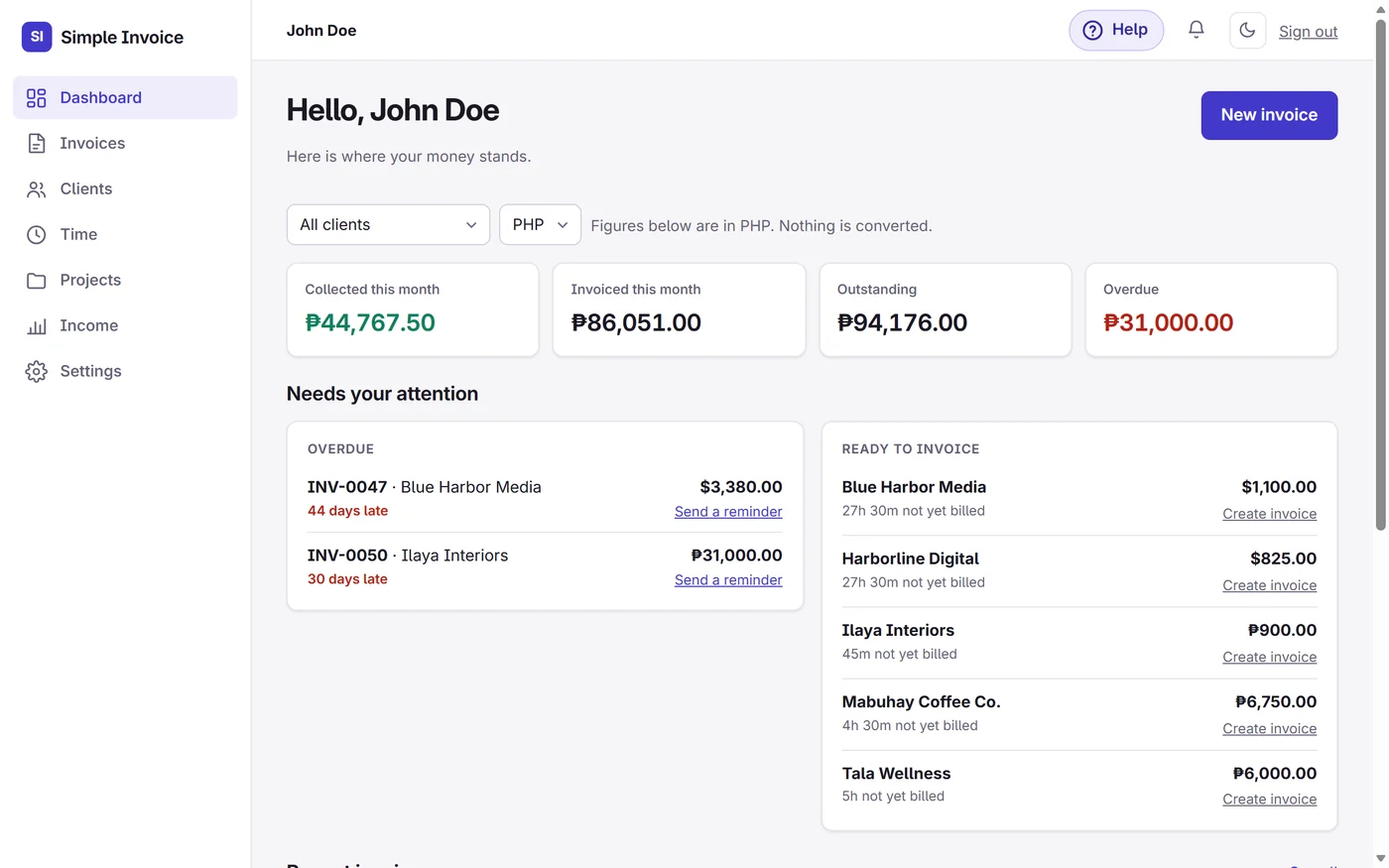
The Dashboard shows this month's money, what is still owed and what needs doing. The Income page lays it out month by month, and gives you files to hand to your accountant.
- Collected, invoiced, outstanding and overdue at a glance
- Month by month, and client by client
- Download invoices, payments and clients as spreadsheets
- Each currency kept on its own, nothing guessed
Also included
The small things that add up.
Help where you need it
A Help panel on every page, with short video clips for the things that take a few clicks.
A bell for what you missed
Notifications for things that happened while you were away, like a client opening an invoice.
Light and dark mode
Choose how the app looks to you. Your invoices are not affected.
Your invoice numbers, your way
INV-0001, INV-0002 and so on, in a style you can change.
Works on your phone
Check an invoice or record a payment from wherever you are.
Your records stay yours
Download your invoices, payments and clients whenever you like.
Spend less time managing work you already finished.
Free while in early access. No credit card required.