| Description | Qty | Amount |
|---|---|---|
| Design work | 1 | ₱12,000.00 |
| Revisions | 2 | ₱3,500.00 |
Thank you for your business.
Free while in early access
Track projects and hours, create invoices that look like you, follow payments, and know what you actually earned, without piecing together spreadsheets, templates and separate apps.
No credit card required.
Timer. Spreadsheet. Canva. Calculator. Email. Another spreadsheet. Nothing is technically wrong with that setup. It is just a lot of work to manage work you already did.
Your freelance admin today:
Timer → Spreadsheet → Canva → Calculator → Email → Another spreadsheet
With Simple Invoice
Same work. Far less admin.
Keep Canva for the creative work. Your invoice does not need to be another design project.
How it works
Start a timer or add your hours later. Organise time by project, with or without a client.
Bill tracked hours, fixed-fee work or your own line items without typing everything again.
Your colours, lettering, layout, logo, banner and signature on every invoice.
See paid, part-paid, overdue and still-owing invoices without keeping another sheet.
What you invoiced and the money you actually received, side by side.
Track once. Bill from it.
You tracked the hours. Your project already knows the rate. When it is time to bill, your work is already waiting: pick the hours and they become an invoice, totalled for you.
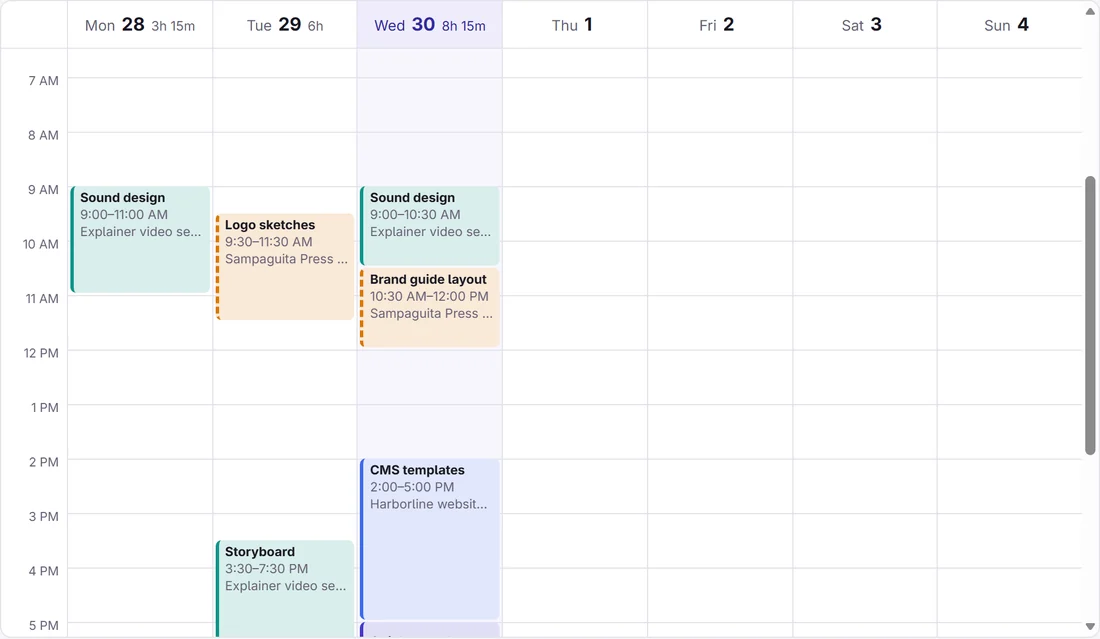
Three blocks of tracked time on a week calendar move into an invoice as its lines, and the total adds itself up to ₱5,250.00.
Getting paid
Send the invoice by email with a link to a proper PDF. You can see when your client opens it. Your client pays you directly, the way you already get paid. When the money arrives, record it, in full, in parts, or with the tax your client withheld, and the invoice settles itself.
Branding
Keep your logo, but do more than drop it into the corner. Choose your colours, lettering, layout, banner, signature and finishing touches, so every invoice feels like part of your business.
| Description | Qty | Amount |
|---|---|---|
| Design work | 1 | ₱12,000.00 |
| Revisions | 2 | ₱3,500.00 |
Thank you for your business.
Classic colours · Professional style
Projects
Track client work, your portfolio, content, learning, admin, or the business you are building for yourself. Hourly. Fixed fee. Non-billable.
The project still counts.
Income
No calculator required. Because sending an invoice and getting paid are two different things.
Example figures.
The real thing
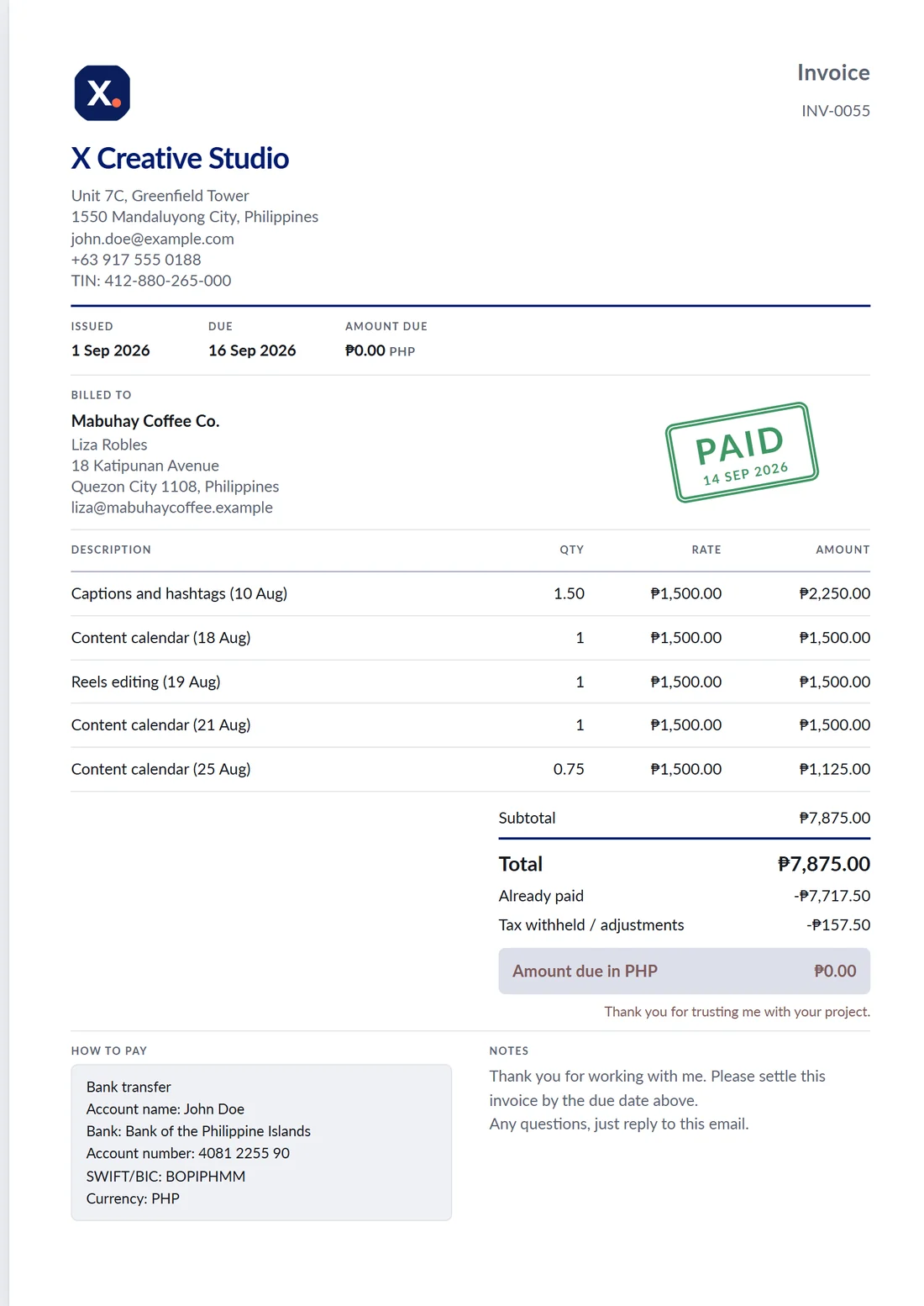
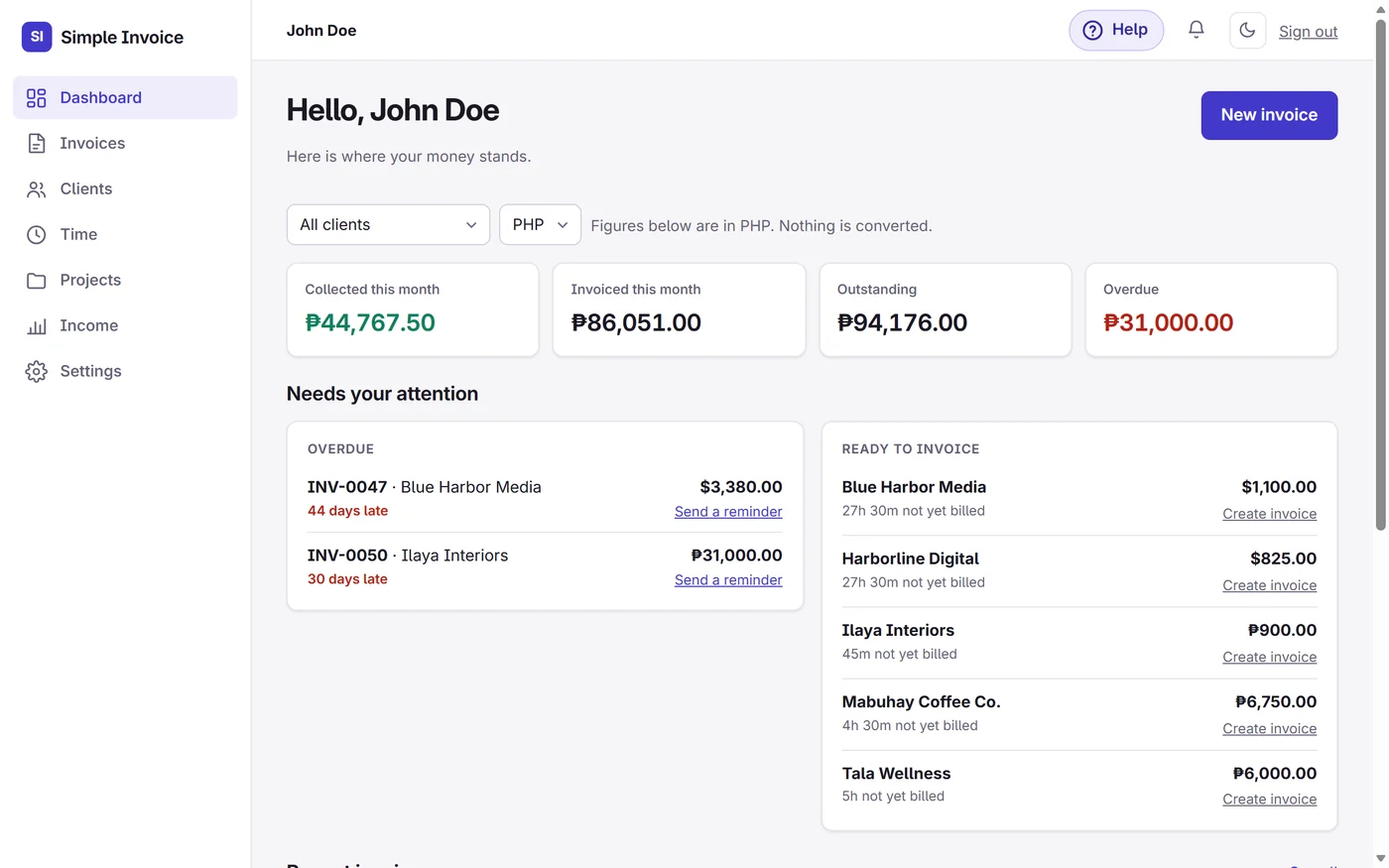
The animations above explain it. These are straight from the app itself, with a demo account's figures.


Also included
Set up a retainer once. A draft appears each month for you to check and send.
One button sends a polite nudge with the invoice link when a payment is late.
Every invoice downloads as a clean PDF that matches what your client sees on screen.
Add your GCash or bank QR code and payment details once. They print under “How to pay”.
Download your invoices, payments and clients for your accountant, any time.
Plain answers in a side panel, with short video clips for the things that take a few clicks.
Who it is for
Whether you bill by the hour, by project, or on a retainer, keep the work and the money connected.
Close to home
Work with clients here and abroad while keeping your work and income organised in one place, with totals in each currency and nothing guessed.
Pricing
₱0 for now
Everything is included while Simple Invoice is in early access. No credit card, no trial clock.
If that ever changes, you will hear from us well before it does.
Common questions
Yes. While Simple Invoice is in early access, everything is free and you do not need a credit card to sign up. If we ever introduce paid plans, we will tell you well in advance, and you can download your records whenever you like.
No. Your client gets an email with a link to the invoice and its PDF. They do not sign up for anything.
No. Your client pays you directly, by GCash, bank transfer, Wise, PayPal or however you already get paid, and your details are printed on the invoice under “How to pay”. Simple Invoice never holds your money and takes no cut. When a payment arrives, you record it, and the invoice and your income update.
Yes. Each client can have their own currency: PHP, USD, AUD, GBP, EUR, CAD or SGD. Totals are kept per currency, so nothing gets mixed up.
No. You can write an invoice from scratch, bill a fixed fee in parts, or set up an invoice that repeats every month. Tracking time just means the hours are ready when you need them.
Simple Invoice keeps your invoices, payments and any tax your clients withheld organised, and lets you download them as spreadsheets. It is not accounting or tax-filing software, and its invoices are not official receipts. For what you need to file, please check with an accountant or the BIR.
Yes. It runs in your phone's browser, with nothing to install, so you can check an invoice or record a payment from wherever you are.
Yes. You can download your invoices, payments and clients as spreadsheets at any time, and every invoice as a PDF.
Nothing is deleted just because you stop signing in. The PDFs you and your clients already have keep working on their own, and you can download all your records before you go. If you want your account closed, write to us and we will close it.
Only you. Your clients see only the invoices you send them. Read the privacy page for the details.
Write to hello@usesimpleinvoice.com and a person will answer. The full list of what the app does is on the features page.
Projects, time, invoices, payments and income in one simple place.
No credit card required.